
Turn your Shopify store into a mobile app with AI
We connected a Shopify store to GenVibe, then typed one paragraph on the Mobile App tab. Seven and a half minutes later we had a shopping app with the store’s real products: collections, product pages, search, a cart and Shopify’s own checkout. It runs on Android and iPhone. It used 17.3 credits, about $1.73 at the smallest credit pack.
Build this puts the prompt in GenVibe for you to edit. Nothing is sent until you press send.
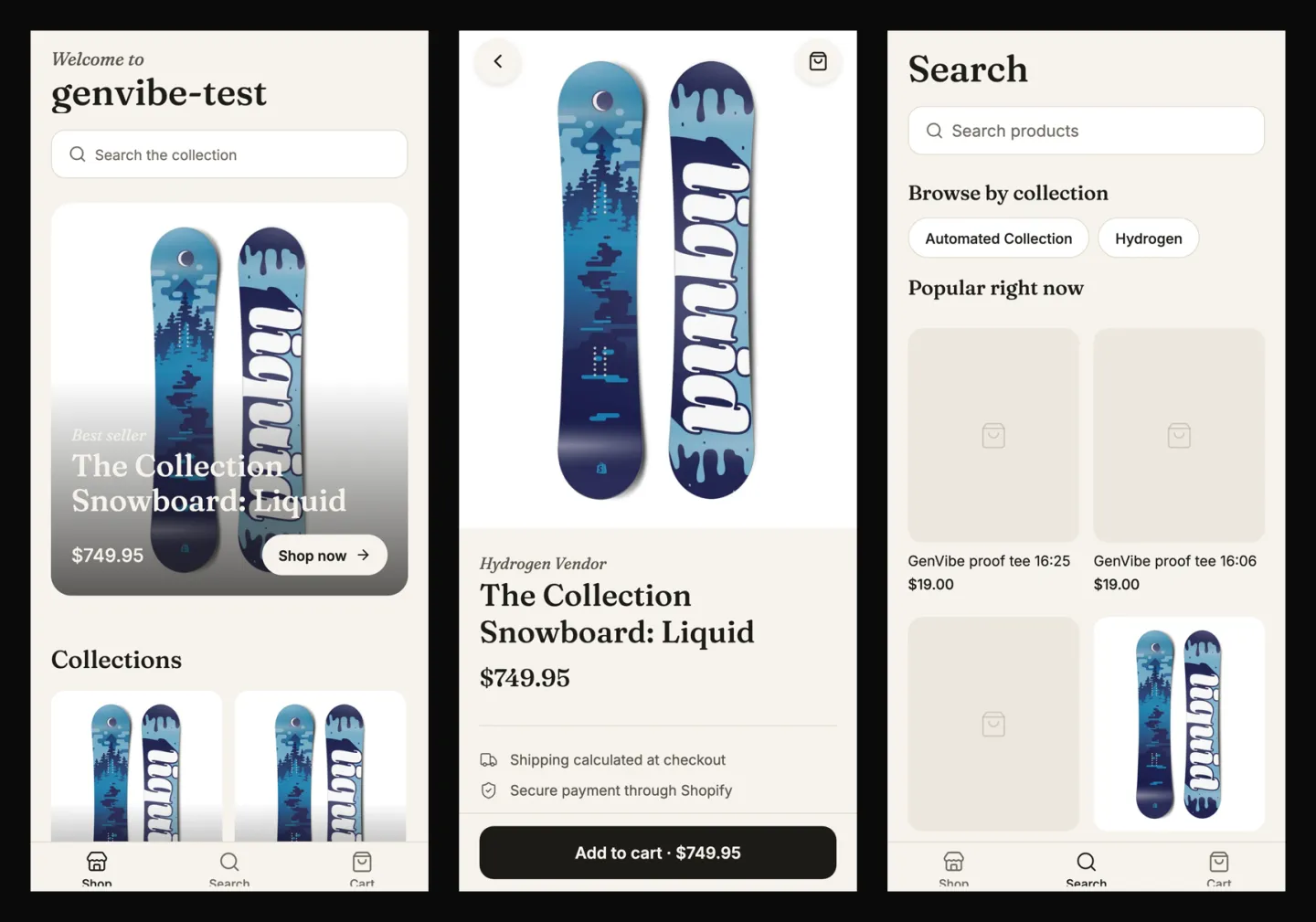
- First preview
- 6 min 48 s
- Finished build
- 7 min 24 s
- Credits used
- 17.3 credits
- Model
- Claude Sonnet 5.5
The prompt we typed
Written the way a business owner would write it: no technical words. Change the names, prices and details to yours.
I sell on Shopify and my store is already connected. I want a mobile app for my customers: a home screen with my collections and best sellers, product pages with photos, options and price, a search, a cart, and a checkout button that takes them to my Shopify checkout. A clean, simple design that lets the product photos shine.
What GenVibe built
One message, no follow-ups. Everything below is the first build, as the AI made it.
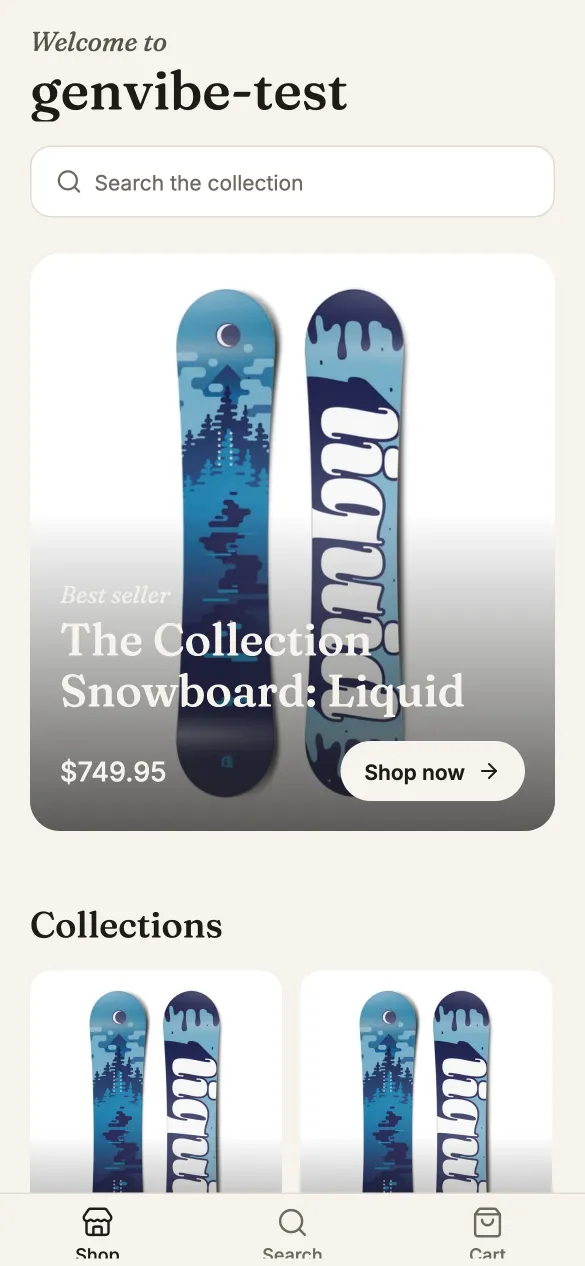
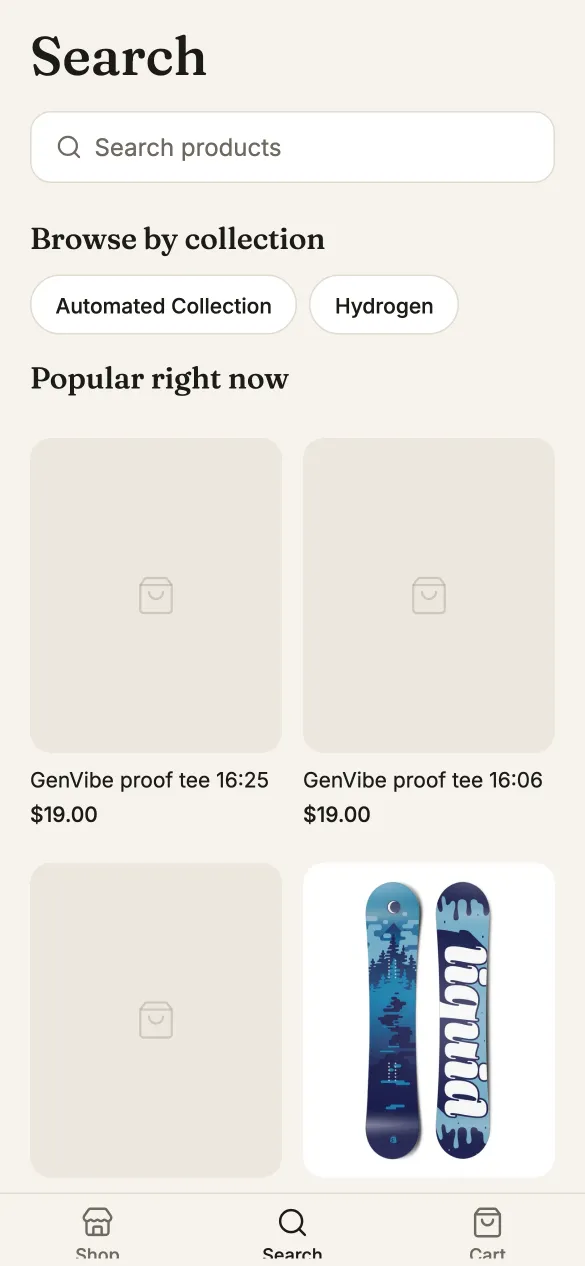
- A home screen with the store’s name, a large best-seller card, a row of collections and a best-sellers grid.
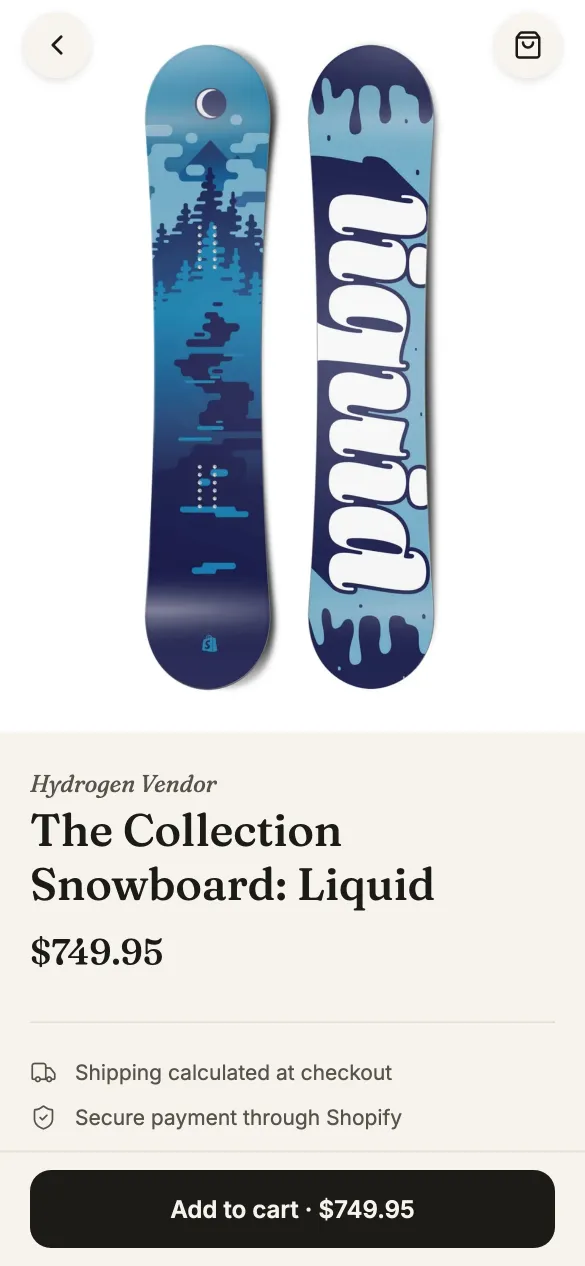
- Product pages with a swipeable photo gallery, option choices such as size, the price (with sale prices), details, “You may also like” and an Add to cart button that stays on screen.
- Search with results as you type, plus collection shortcuts and popular products before you type.
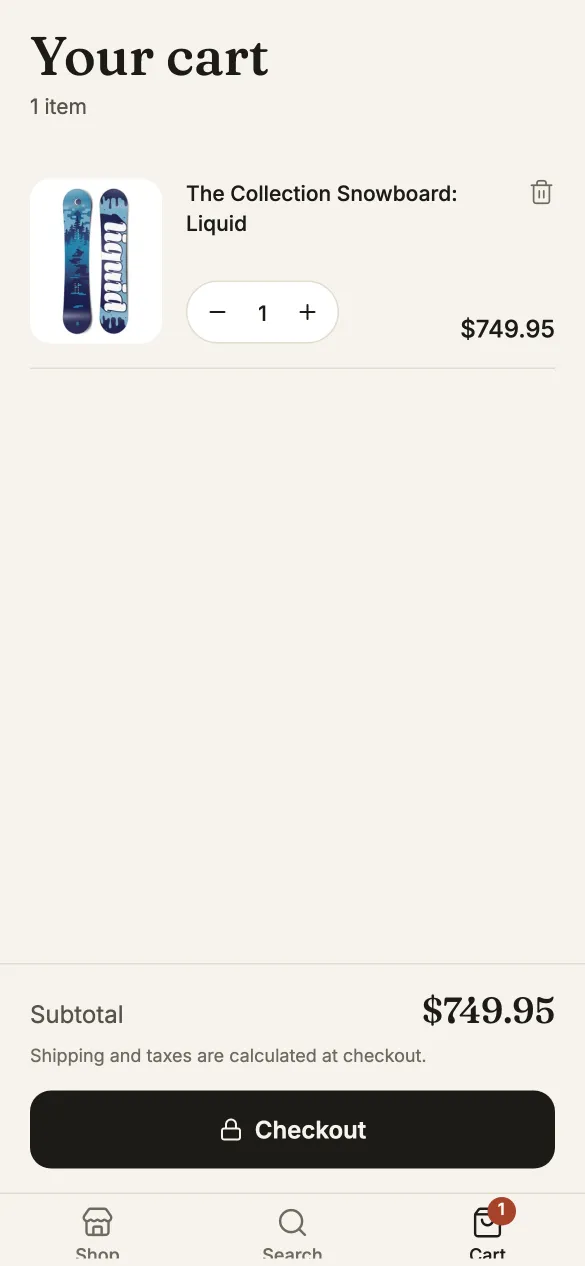
- A cart with quantity buttons, remove and a subtotal. The Checkout button opens the store’s own Shopify checkout.
- Everything comes from the connected store: products, photos, prices and collections.
How long it took and what it cost
| Time to the first preview | 6 min 48 s |
|---|---|
| Time to the finished build | 7 min 24 s |
| Credits used | 17.3 credits |
| In money, with the smallest credit pack | $1.73 ($5 for 50 credits) |
| In money, on the cheapest plan | $2.08 ($12 a month for 100 credits) |
| Model | Claude Sonnet 5.5, picked by Auto |
Measured on October 29, 2026, from pressing send until the AI finished, on a paid account where Auto picked Claude Sonnet 5.5. The same prompt won't give the same app twice: the AI writes new code each time, and on a free account Auto may pick a different model, so the minutes and credits change from run to run. This build fits inside the 20 free credits every new account gets once, with no card. See pricing.
What is sample data, and how to make it real
The first build works on its own, with sample data, so you can click through it right away. These are the parts to switch on before real customers use it.
| Part | In the demo | To make it real |
|---|---|---|
| Products, prices, collections | Live from the connected store. We used GenVibe’s own Shopify test store, so you see Shopify’s sample snowboards and two test T-shirts without photos. | Connect your store under Customize → Connectors: your myshopify.com address plus the Client ID and secret of a small app you create in Shopify’s Dev Dashboard. The form lists every step. |
| Cart and checkout | A real Shopify cart. Checkout opens the store’s own checkout. Our test store is password-protected, so in our test it stopped at Shopify’s password page. | Nothing to add: payment, shipping and the order happen in Shopify, and orders show up in your Shopify admin. |
| Customer accounts | None. Customers check out on Shopify’s page. | Ask the AI to add sign-in if you want it; orders, customers and refunds stay in your Shopify admin. |
How to build your own shopify store app
- 1
Open GenVibe on the Mobile App tab
Go to genvibe.pro and choose Mobile App above the message box.
- 2
Describe your business
Paste the prompt from this page and change the names, services and prices to your own. Plain words work best.
- 3
Watch it build
Press send. The AI plans the app, writes the code and shows it in a live preview. Ours took 7 minutes.
- 4
Change anything by chatting
Ask for changes in the chat, or click a part of the preview to point at it. Each change uses a few credits.
- 5
Try it on your phone and publish
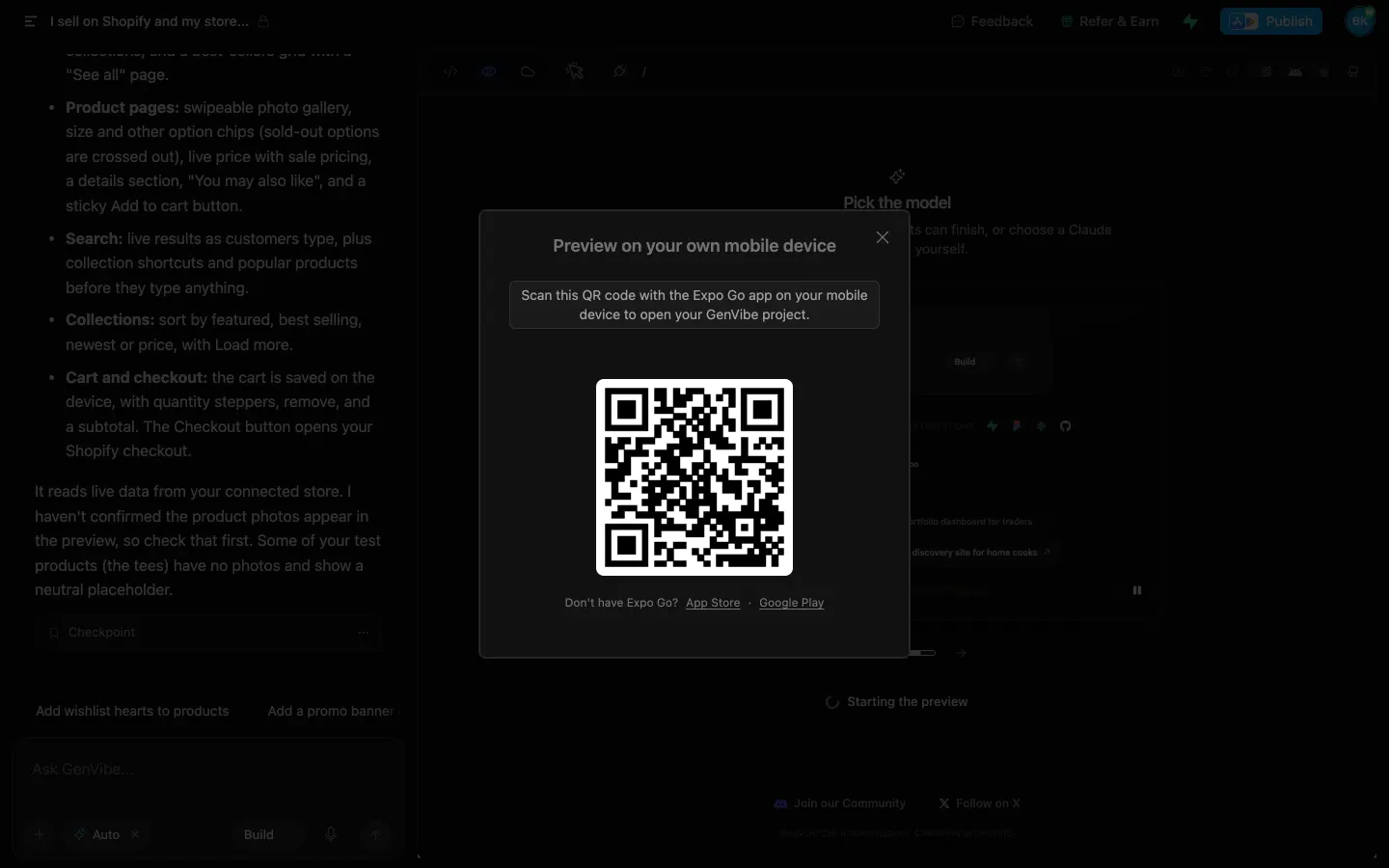
Scan the QR code with the free Expo Go app to open it on your phone. When it is ready, build the installable Android app on your own Expo account, then publish it to Google Play from the chat.
Good next messages
Send these one at a time after the first build. Each one changes the app in place.
- Add a banner on the home screen for our winter sale.
- Add wishlist hearts to products.
- Show “Only 3 left” when stock is low.
- Use our brand colours: (your colours) and our logo (attach it).
Put it on your phone and in Google Play
On your phone while you build. Install the free Expo Go app, press the QR button above the preview and scan the code. The app opens on your phone, Android or iPhone, and updates as the AI changes it.
The Android app. GenVibe builds the installable Android app on your own Expo account, free on every plan. On a paid plan or with any credit pack, it uploads the app to your Google Play account for testing and drafts the store listing. Read the Google Play guide for the steps Google still asks of you.
iPhone App Store: coming soon. Today you can open the app on an iPhone with Expo Go while you build it.
Questions
Can I turn my Shopify store into a mobile app without coding?
Yes. Connect the store under Customize → Connectors, then describe the app on the Mobile App tab. GenVibe’s AI writes it with React Native and Expo, reading your products through GenVibe, so your store’s keys never go into the app.
Does the app use my real products and Shopify checkout?
Yes. Products, photos, prices and collections come from your store, the cart is a Shopify cart, and Checkout opens your store’s own checkout page. Orders, customers and refunds stay in your Shopify admin.
Is there a monthly fee per app or a share of sales?
Not from GenVibe. You pay credits for the AI’s work when it builds or changes the app. Shopify’s own fees still apply to your store.
Can I publish it on Google Play and the App Store?
Google Play, yes: GenVibe builds the Android app on your own Expo account, free on every plan, and on a paid plan or with any credit pack uploads it to your Google Play account for testing. App Store publishing is coming soon.
Can the AI add products to my store?
Yes, when you ask. It can add products and collections. It can’t change orders, customers or refunds.
How much did this cost?
This build used 17.3 credits, about $1.73 at the smallest credit pack ($5 for 50 credits). It fits inside the 20 free credits every new account gets once, with no card. Plans start at $12 a month for 100 credits, and publishing to a genvibe.app address is included on every plan.
More real builds
Start from a template instead
Templates open in about a minute and use no credits.
Keep reading
Make it yours
Start with this prompt, change the details to your business, and press send. New accounts get 20 free credits once, with no card.