
Build a restaurant ordering app with AI
We typed one paragraph into GenVibe, the way a pizza shop owner would. Six minutes later it had built an ordering website: a photo menu, a cart, pickup or delivery with a time, and a kitchen screen for new orders. It used 15.5 credits, about $1.55 at the smallest credit pack, with no follow-up messages.
Build this puts the prompt in GenVibe for you to edit. Nothing is sent until you press send.
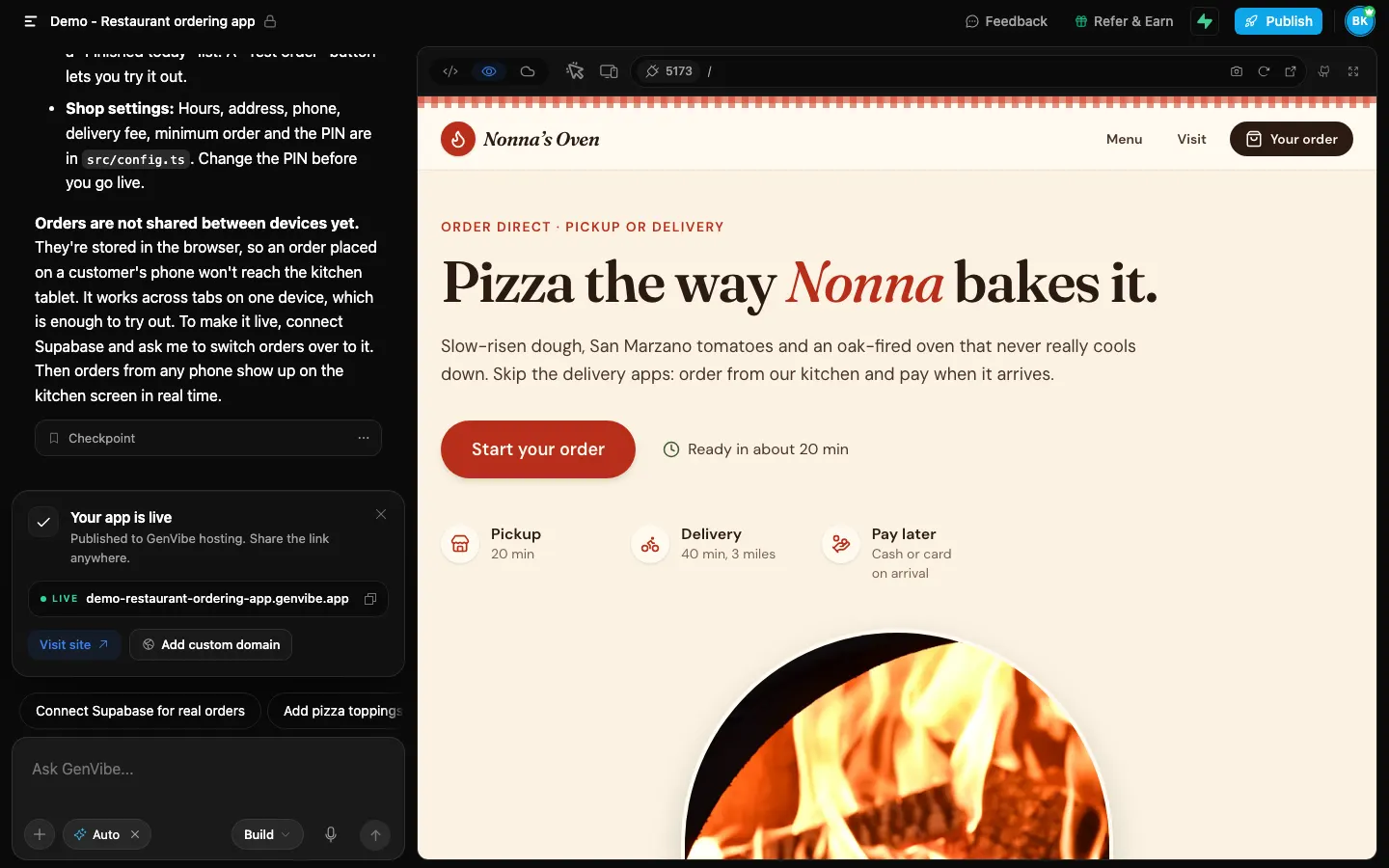
- First preview
- 5 min 26 s
- Finished build
- 6 min 6 s
- Credits used
- 15.5 credits
- Model
- Claude Sonnet 5.5
The prompt we typed
Written the way a shop owner would write it: no technical words. Change the names, prices and details to yours.
I have a small pizza place called Nonna's Oven and I'm tired of paying the delivery apps. I want my own ordering website: my menu with photos and prices (pizzas, sides, drinks, desserts), customers add things to a cart, choose pickup or delivery and a time, and send the order with their name, phone and address. They can pay when they pick it up or when it arrives for now. I also need a screen for the kitchen that shows new orders so we can mark them as preparing and ready.
What GenVibe built
One message, no follow-ups. Everything below is the first build, as the AI made it.
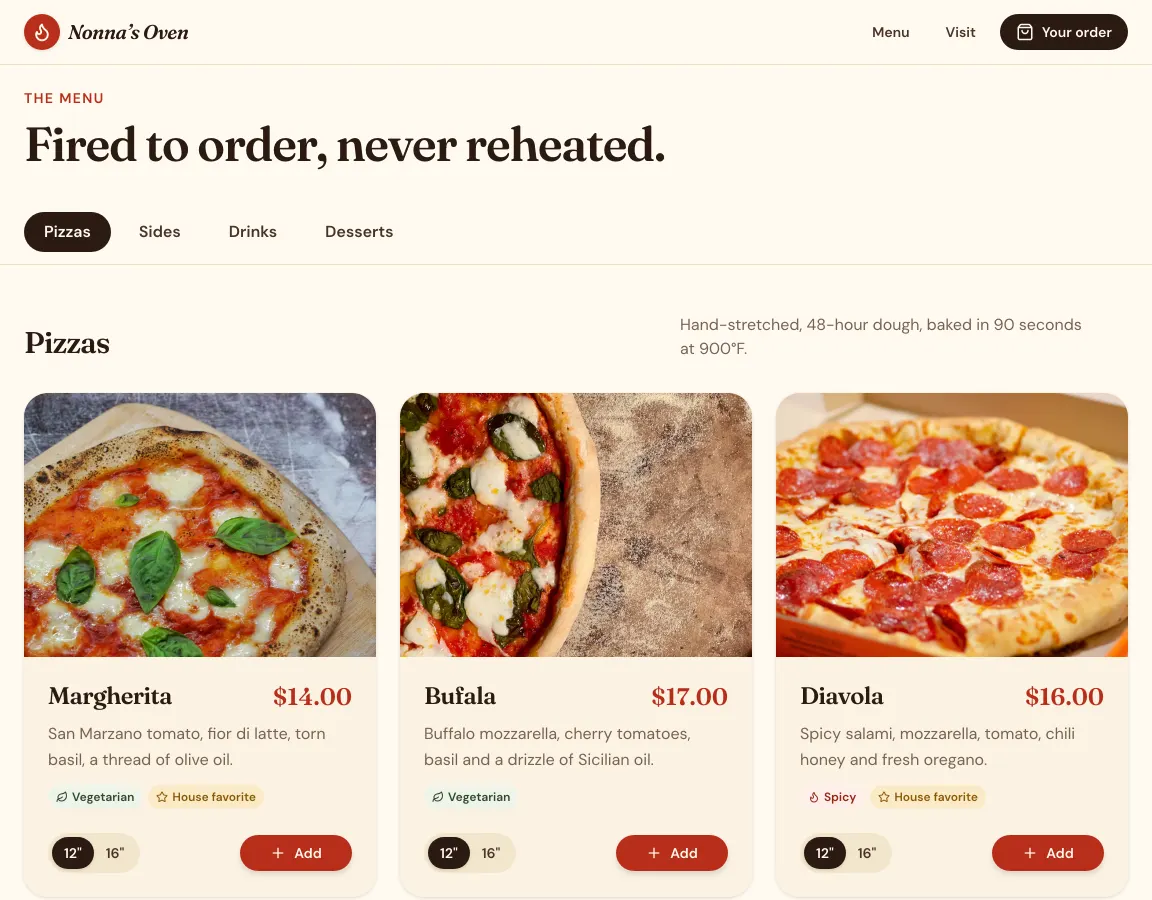
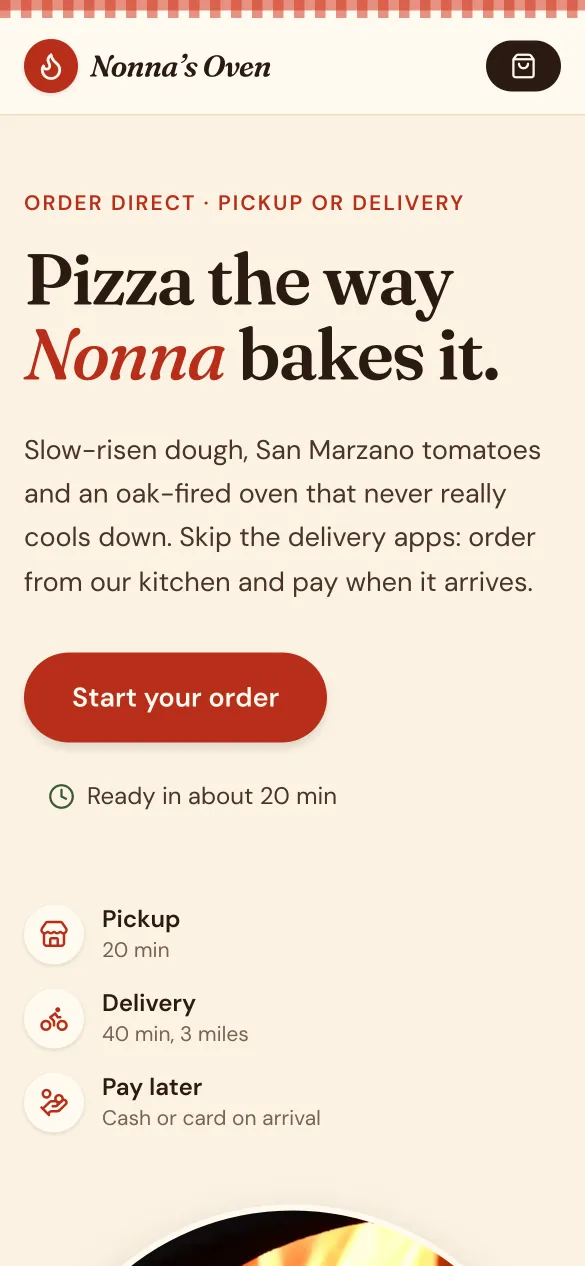
- A menu with photos and prices: six pizzas in 12-inch and 16-inch sizes, plus sides, drinks and desserts, with a category bar.
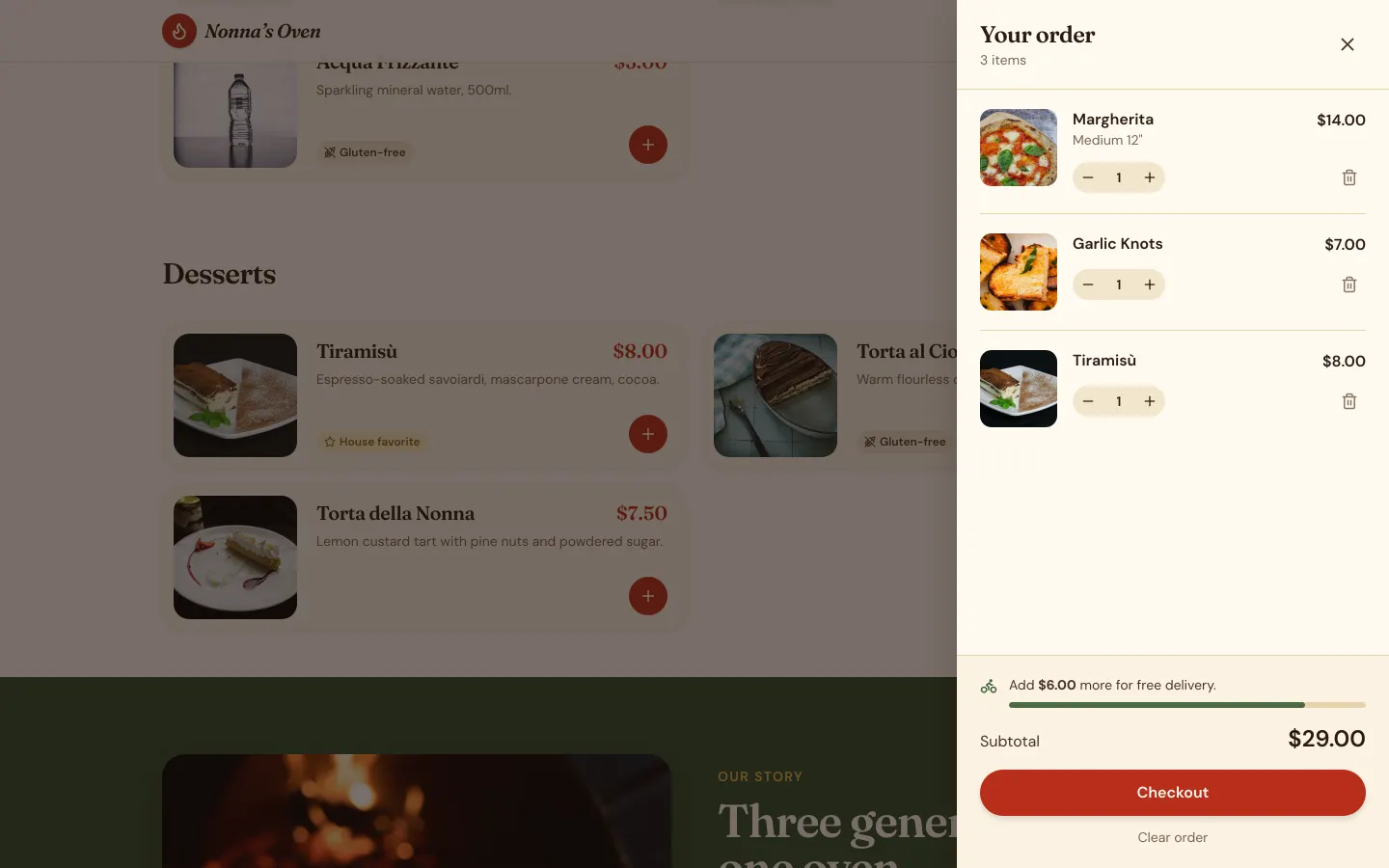
- A cart that slides out, with quantity buttons, a subtotal and a bar showing how much more for free delivery.
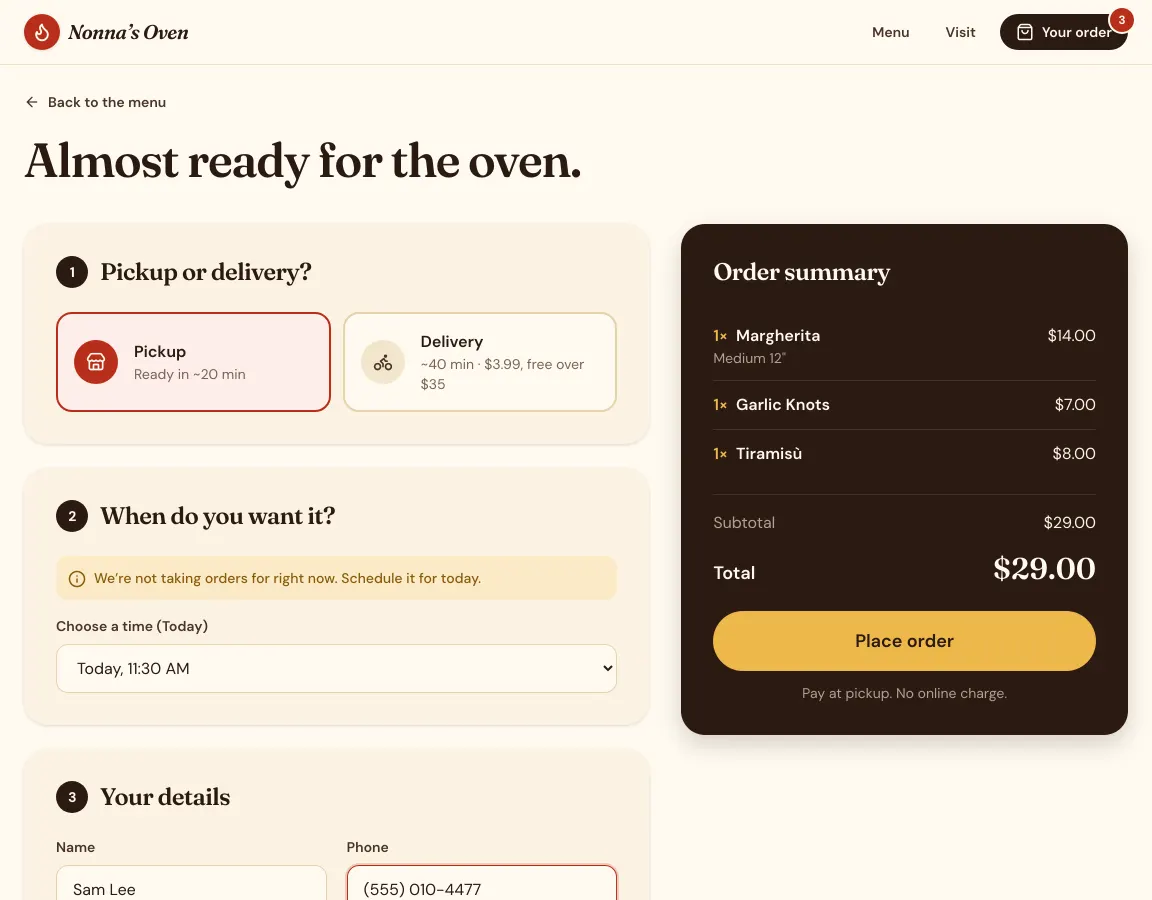
- Checkout with pickup or delivery, as soon as possible or a time slot, name, phone, address and notes for the kitchen. Customers pay cash or card when they collect or receive the order.
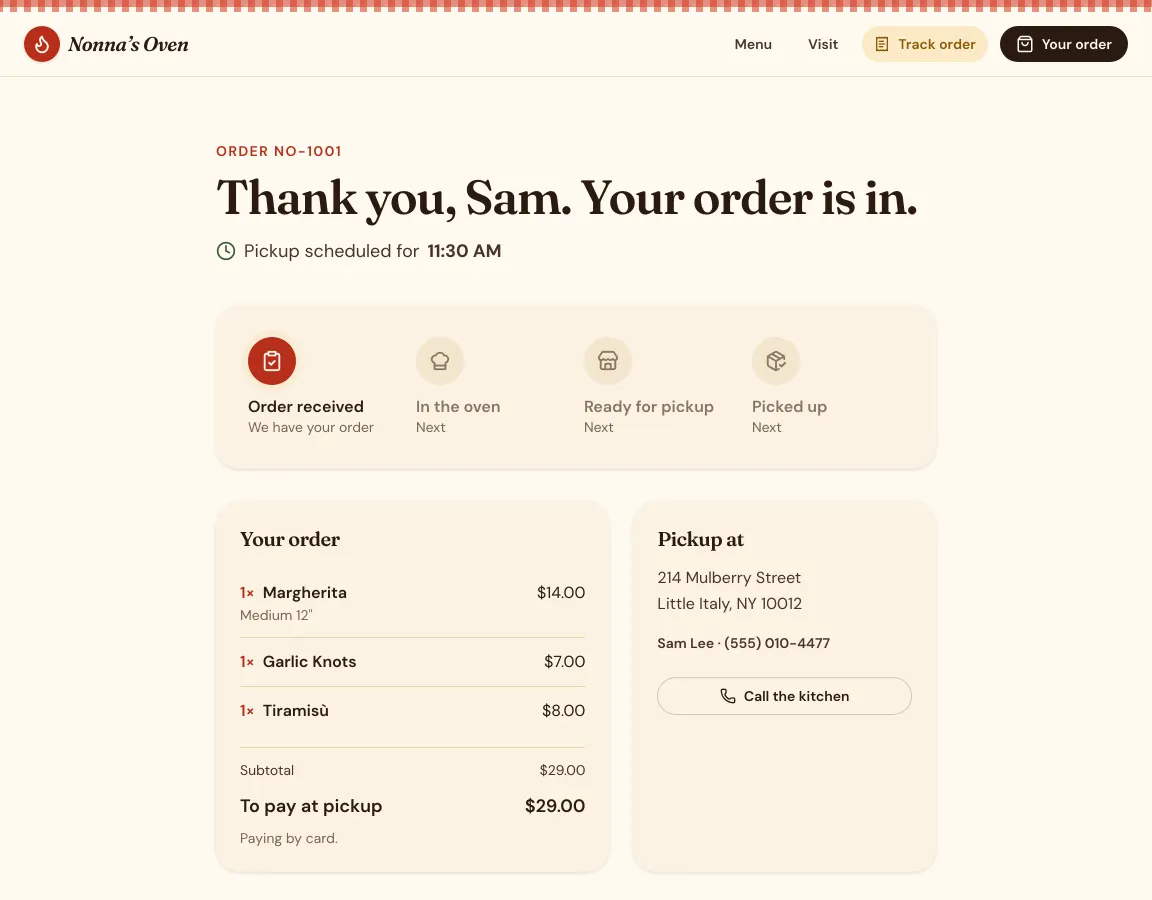
- An order page for the customer that shows each stage: order received, in the oven, ready, then picked up or delivered.
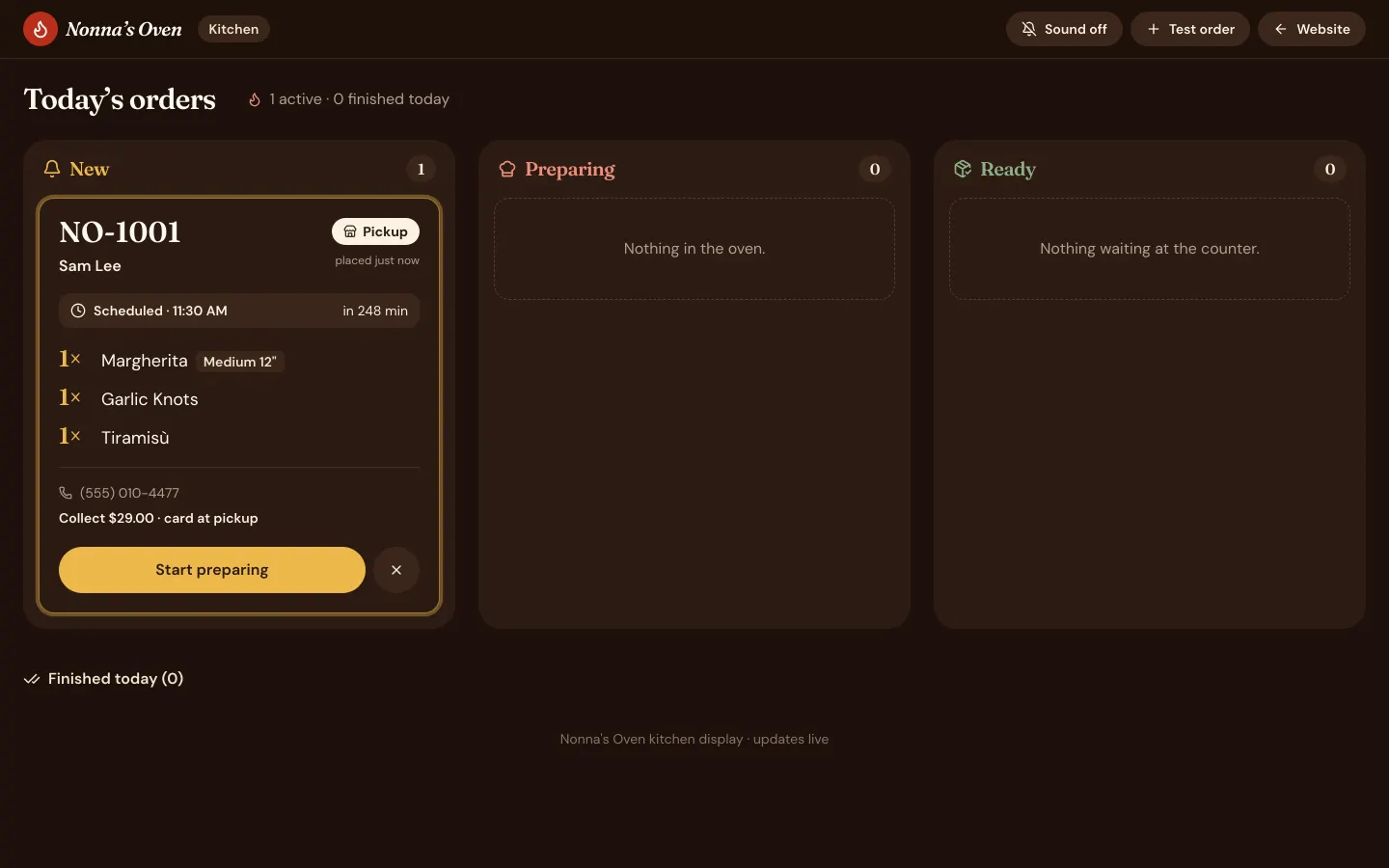
- A kitchen screen at /#/kitchen with New, Preparing and Ready columns, an optional sound for new orders and a list of today’s finished orders.
- Opening hours, address, phone, delivery fee and minimum order kept in one settings file, so a change is one message.
How long it took and what it cost
| Time to the first preview | 5 min 26 s |
|---|---|
| Time to the finished build | 6 min 6 s |
| Credits used | 15.5 credits |
| In money, with the smallest credit pack | $1.55 ($5 for 50 credits) |
| In money, on the cheapest plan | $1.86 ($12 a month for 100 credits) |
| Model | Claude Sonnet 5.5, picked by Auto |
Measured on October 29, 2026, from pressing send until the AI finished, on a paid account where Auto picked Claude Sonnet 5.5. The same prompt won't give the same app twice: the AI writes new code each time, and on a free account Auto may pick a different model, so the minutes and credits change from run to run. This build fits inside the 20 free credits every new account gets once, with no card. See pricing.
What is sample data, and how to make it real
The first build works on its own, with sample data, so you can click through it right away. These are the parts to switch on before real customers use it.
| Part | In the demo | To make it real |
|---|---|---|
| Orders | Saved in the browser of the device that places them, so an order from a customer’s phone doesn’t reach the kitchen tablet. | Press Connect Supabase in the project and ask the AI to save orders there. Orders from any phone then show up on the kitchen screen. |
| Kitchen screen | Opens with the PIN 1234, which is checked inside the page. Anyone who reads the page’s code can find it. | Ask the AI for a staff login with Supabase sign-in instead of the PIN. |
| Menu and photos | Dishes, prices and the family story were made up by the AI, with stock photos. | Paste your menu, or attach a photo of the printed one and your food photos, and ask the AI to use them. |
| Payment | None online. Customers pay when they collect or receive the order. | Connect Stripe, or Razorpay for UPI and cards in India, under Customize → Connectors and ask the AI to add online payment to checkout. |
| Order emails | None are sent. | Connect Resend under Customize → Connectors and ask the AI to email each order to you and a receipt to the customer. |
How to build your own restaurant ordering app
- 1
Open GenVibe on the Web App tab
Go to genvibe.pro and choose Web App above the message box.
- 2
Describe your business
Paste the prompt from this page and change the names, services and prices to your own. Plain words work best.
- 3
Watch it build
Press send. The AI plans the app, writes the code and shows it in a live preview. Ours took 6 minutes.
- 4
Change anything by chatting
Ask for changes in the chat, or click a part of the preview to point at it. Each change uses a few credits.
- 5
Publish it
Press Publish, then Publish to GenVibe. The app goes live on a free genvibe.app address you can share; a custom domain needs a paid plan.
Good next messages
Send these one at a time after the first build. Each one changes the app in place.
- Here is my real menu with prices: (paste it). Replace the sample dishes.
- Let customers add extra toppings to a pizza for $1.50 each.
- Save orders in Supabase so orders from customers’ phones show up on the kitchen screen.
- Email me a copy of every new order.
Publish it
Press Publish at the top of the project, then Publish to GenVibe. In under a minute the app is live on a free genvibe.app address on every plan, like our demo. Free accounts show a small "Made with GenVibe" badge.
On a paid plan you can use your own domain instead, without the badge. You can also push the code to your own GitHub, or deploy it to your own Netlify account.
Questions
Can I build my own restaurant ordering app without coding?
Yes. You describe it in plain words and GenVibe’s AI writes the app. Our pizza demo came from one paragraph, and we typed no code.
Do I pay a commission on every order?
Not to GenVibe. GenVibe charges credits for the AI’s work while it builds or changes your app, not per order. If you add card payments, the payment provider charges its own fees.
Can customers pay online?
Not in this first build: customers pay when they collect or receive the order. To take cards, connect Stripe, or Razorpay in India, under Customize → Connectors and ask the AI to add payment to checkout.
How do orders reach my kitchen?
In the demo, orders are saved in the browser, so the kitchen screen only sees orders placed on the same device. Connect Supabase and ask the AI to save orders there; then orders from any phone reach the kitchen screen.
Can I make it a mobile app too?
Yes, as a separate project on the Mobile App tab. Describe the same restaurant there; GenVibe builds it with React Native and Expo, and can publish the Android app to Google Play. App Store publishing is coming soon.
How much did this cost?
This build used 15.5 credits, about $1.55 at the smallest credit pack ($5 for 50 credits). It fits inside the 20 free credits every new account gets once, with no card. Plans start at $12 a month for 100 credits, and publishing to a genvibe.app address is included on every plan.
More real builds
Start from a template instead
Templates open in about a minute and use no credits.
Keep reading
Make it yours
Start with this prompt, change the details to your business, and press send. New accounts get 20 free credits once, with no card.