
Build a salon booking app with AI
We typed one paragraph into GenVibe, the way a salon owner would. Five minutes later we had a booking site: clients pick a service, a stylist and a free time, and the owner gets a schedule page. It used 14.3 credits, about $1.43 at the smallest credit pack. One date picker bug took a second message to fix.
Build this puts the prompt in GenVibe for you to edit. Nothing is sent until you press send.
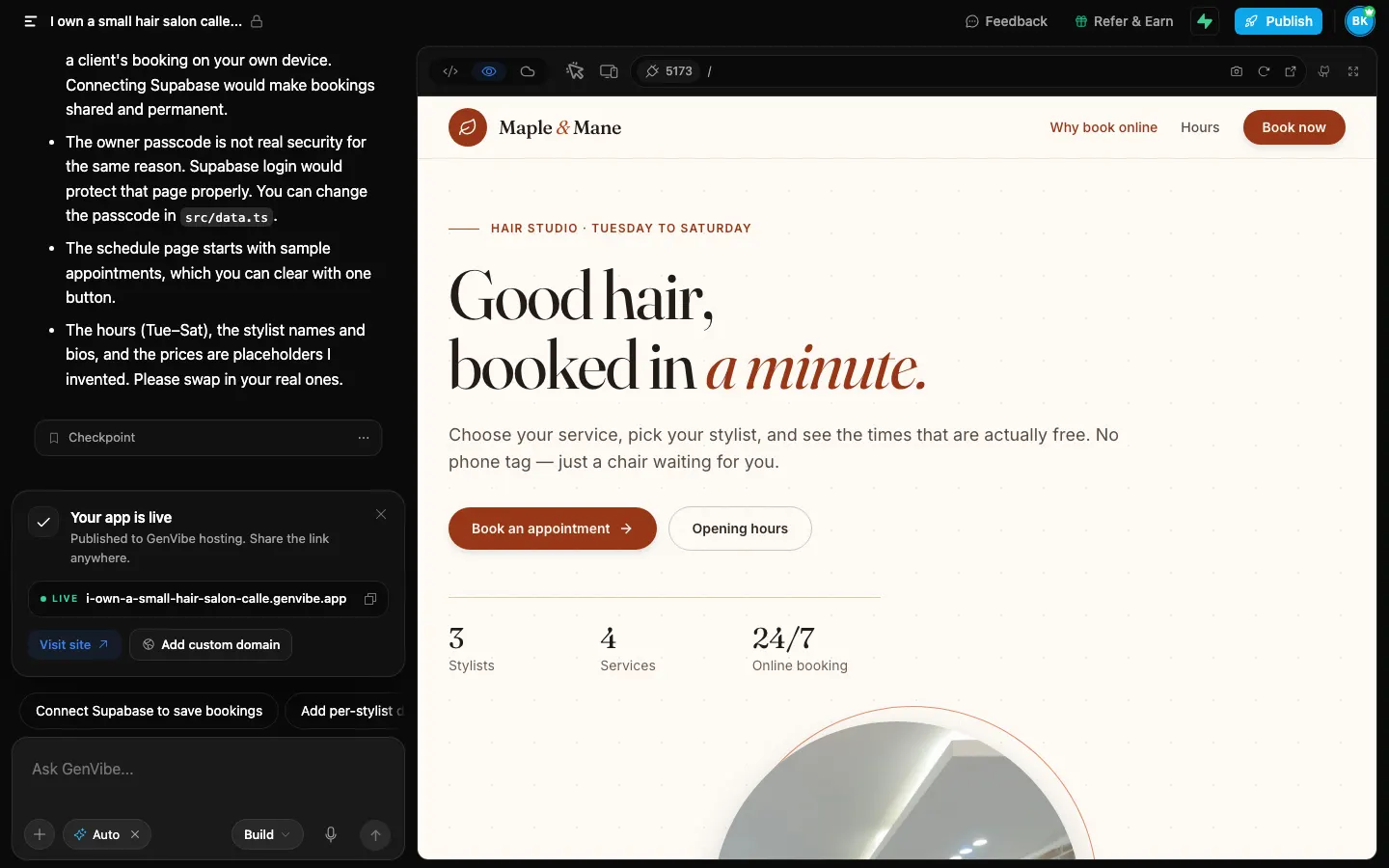
- First preview
- 4 min 18 s
- Finished build
- 4 min 58 s
- Credits used
- 14.3 credits
- Model
- Claude Sonnet 5.5
The prompt we typed
Written the way a shop owner would write it: no technical words. Change the names, prices and details to yours.
I own a small hair salon called Maple & Mane and I want my clients to book online instead of calling me. They should pick a service (women's cut, men's cut, colour, blow-dry), pick one of my three stylists, then choose a day and a free time and leave their name and phone number. Show the price and how long each service takes. I also need a page just for me with all the bookings for today and the coming days.
What GenVibe built
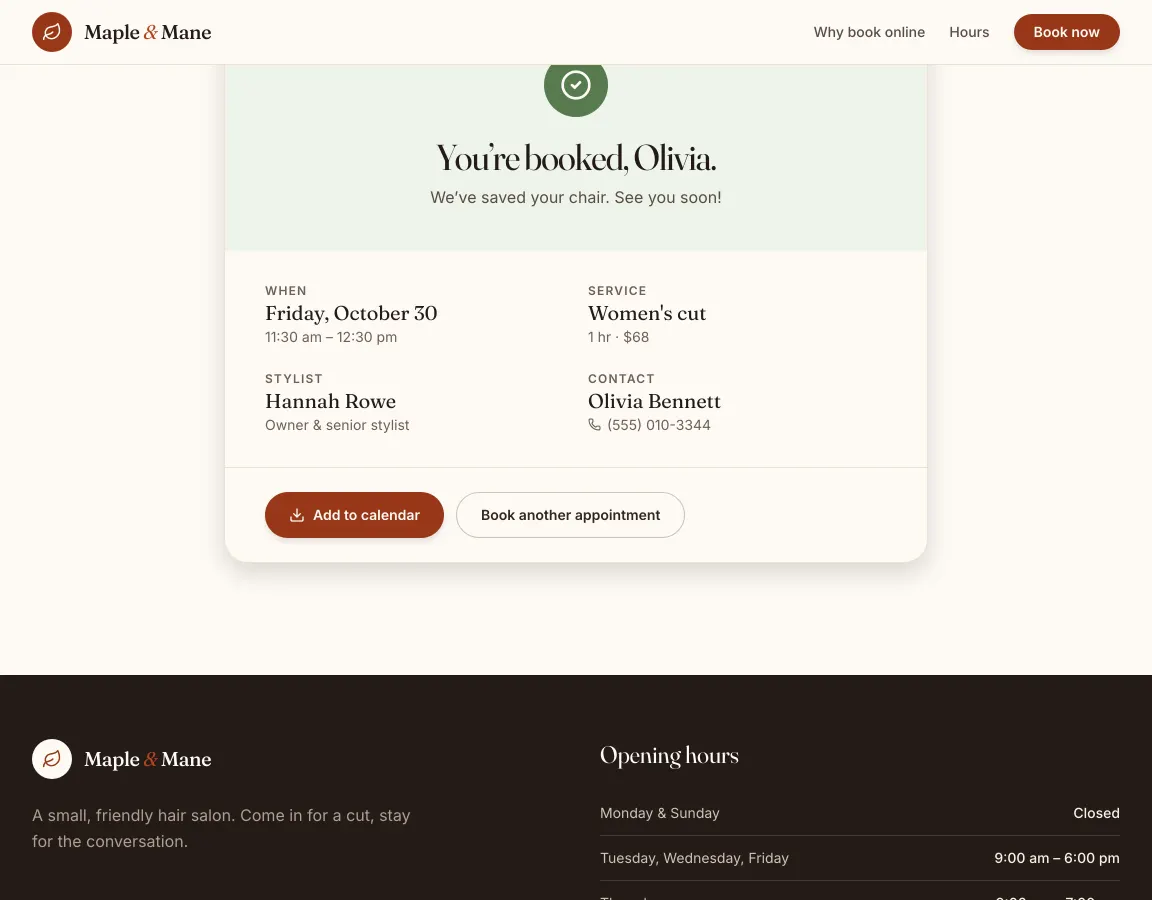
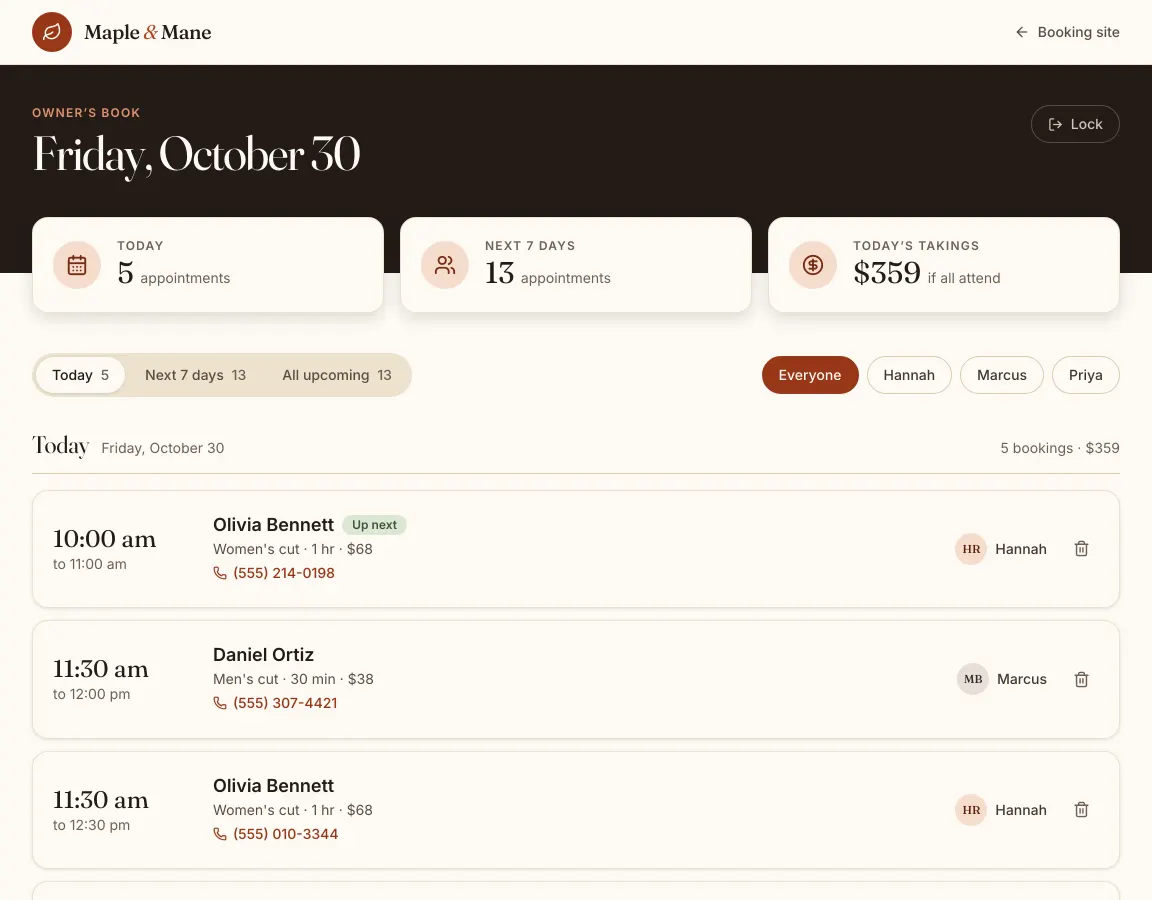
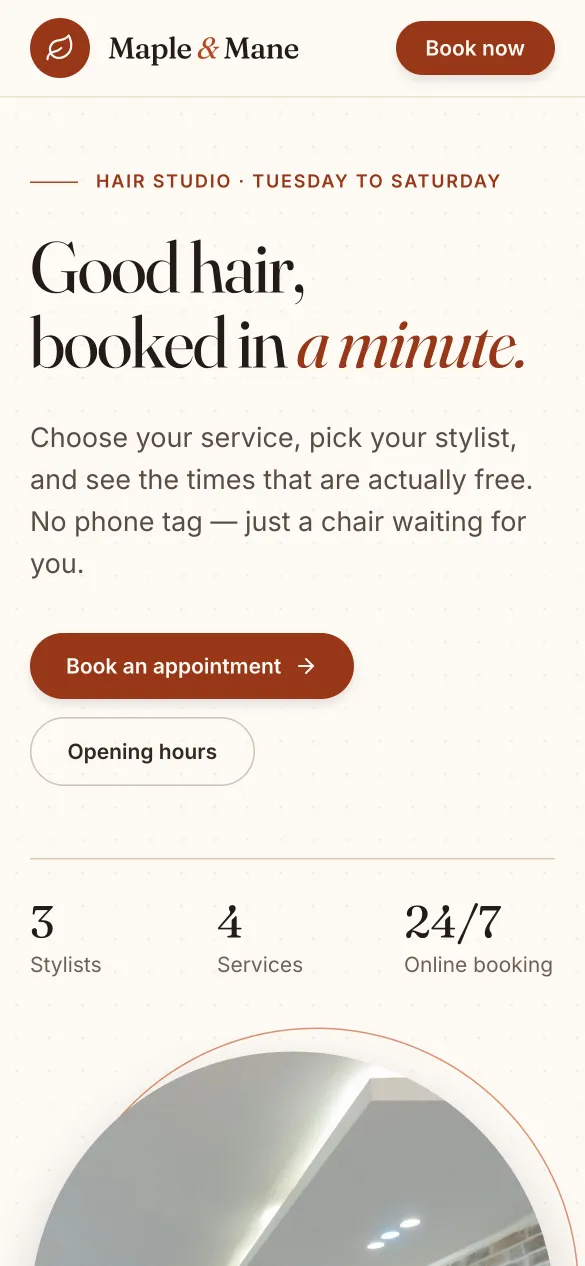
One message built all of this; a second message fixed one layout bug (see “What didn’t come out right”). The screenshots show the fixed version.
- A home page with the salon’s name, opening hours and a “Book now” button.
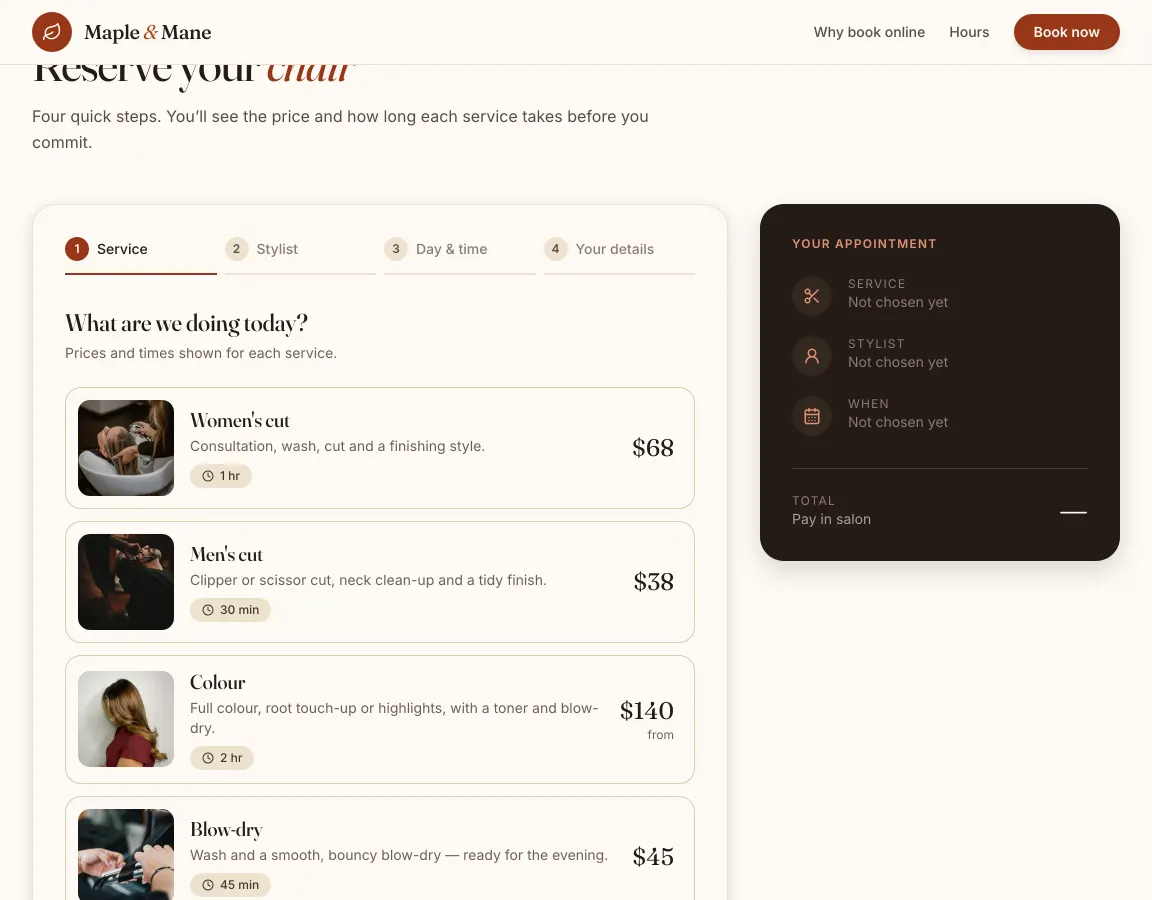
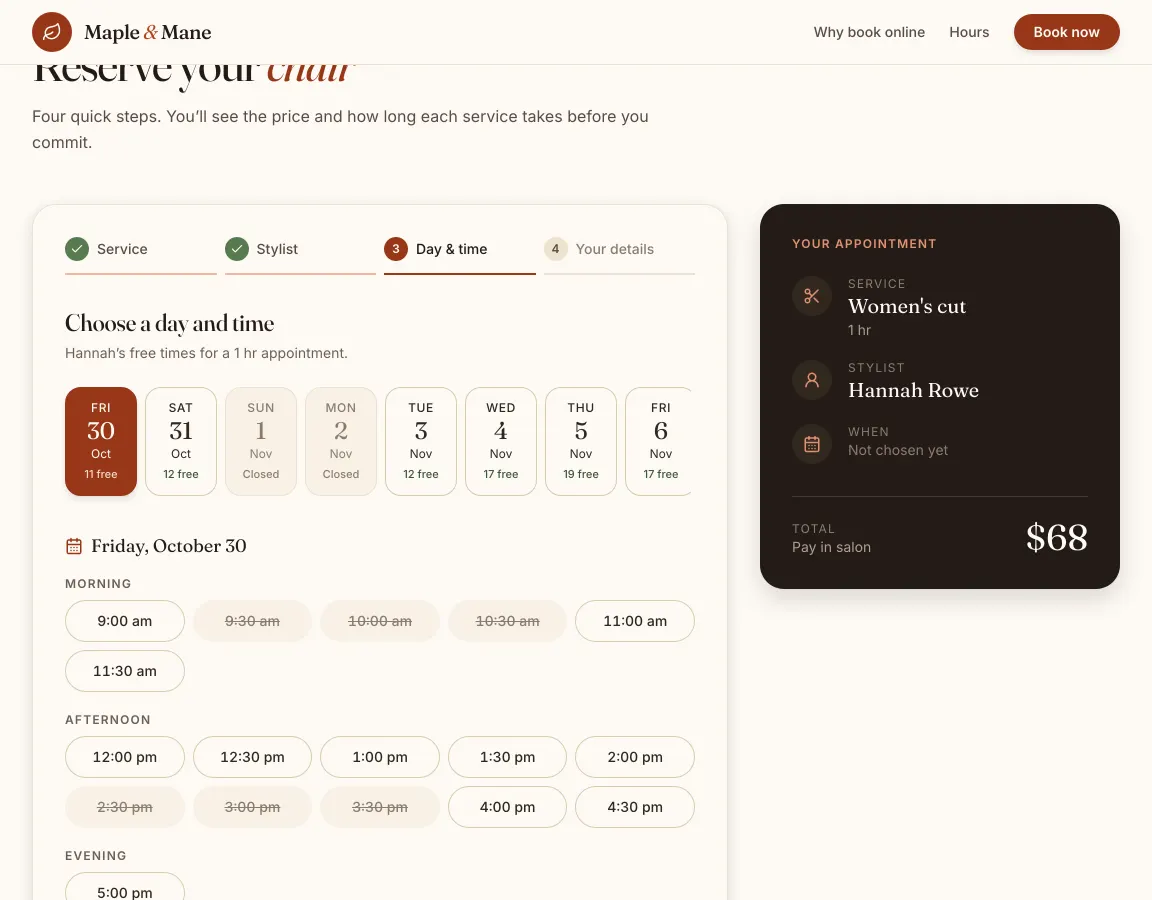
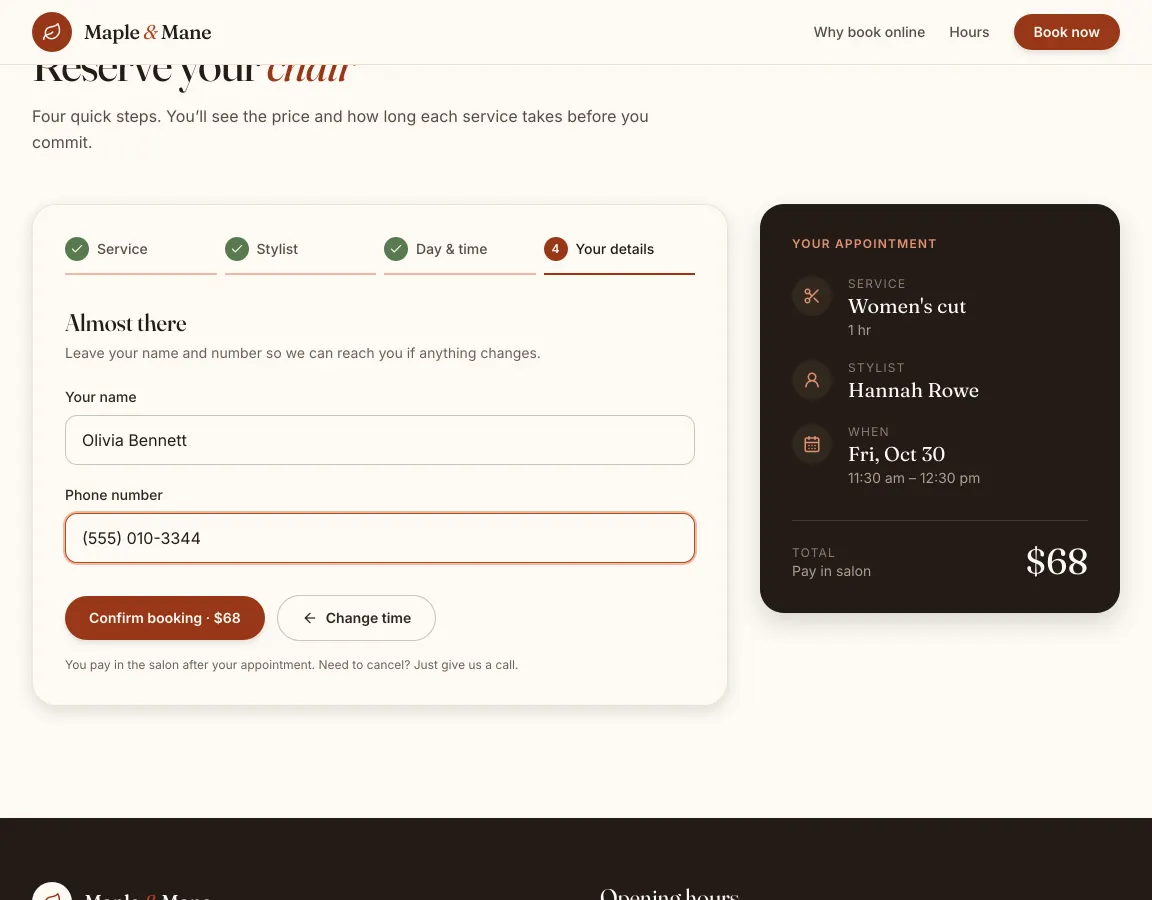
- Booking in four steps: service, stylist, day and time, your details. A summary card shows the choice and the total as the client goes.
- Each service shows its price and length: women’s cut $68 for 1 hour, men’s cut $38 for 30 minutes, colour from $140 for 2 hours, blow-dry $45 for 45 minutes.
- Free times sized to the service, per stylist. Taken times are crossed out, and closed days (Sunday and Monday) are greyed out.
- A confirmation screen with an “Add to calendar” file.
- An owner page at /#/owner behind a passcode: today’s bookings, the next 7 days, a filter per stylist, tap-to-call and cancel, and the day’s takings.
How long it took and what it cost
| Time to the first preview | 4 min 18 s |
|---|---|
| Time to the finished build | 4 min 58 s |
| Credits used | 14.3 credits |
| In money, with the smallest credit pack | $1.43 ($5 for 50 credits) |
| In money, on the cheapest plan | $1.72 ($12 a month for 100 credits) |
| Model | Claude Sonnet 5.5, picked by Auto |
Measured on October 29, 2026, from pressing send until the AI finished, on a paid account where Auto picked Claude Sonnet 5.5. The same prompt won't give the same app twice: the AI writes new code each time, and on a free account Auto may pick a different model, so the minutes and credits change from run to run. This build fits inside the 20 free credits every new account gets once, with no card. See pricing.
What is sample data, and how to make it real
The first build works on its own, with sample data, so you can click through it right away. These are the parts to switch on before real customers use it.
| Part | In the demo | To make it real |
|---|---|---|
| Bookings | Saved in the browser of the device that makes them, so a client’s booking doesn’t reach your phone. | Press Connect Supabase in the project and ask the AI to save bookings there. Bookings from every device then land in one list. |
| Owner page | Opens with the passcode 1234, which is checked inside the page. Anyone who reads the page’s code can find it. | Ask the AI for an owner login with Supabase sign-in instead of the passcode. |
| Stylists, prices, hours | Made up by the AI: three stylists with short bios, open Tuesday to Saturday. | Tell the AI your real stylists, services, prices and hours, or paste your price list. |
| Confirmations | Shown on screen with a calendar file. No email or text is sent. | Connect Resend under Customize → Connectors and ask the AI to email each booking to you and to the client. |
| Deposits | None. Clients pay in the salon. | Connect Stripe, or Razorpay in India, under Customize → Connectors and ask the AI to take a deposit when someone books. |
What didn't come out right
- The first build had one layout bug: on the day and time step, the row of dates made the whole page wider than the screen, on a phone too, and pushed the summary card off the side. We sent one message describing it in plain words, and the AI fixed it in 24 seconds for 2.9 credits. The live demo is the fixed version.
How to build your own salon booking app
- 1
Open GenVibe on the Web App tab
Go to genvibe.pro and choose Web App above the message box.
- 2
Describe your business
Paste the prompt from this page and change the names, services and prices to your own. Plain words work best.
- 3
Watch it build
Press send. The AI plans the app, writes the code and shows it in a live preview. Ours took 5 minutes.
- 4
Change anything by chatting
Ask for changes in the chat, or click a part of the preview to point at it. Each change uses a few credits.
- 5
Publish it
Press Publish, then Publish to GenVibe. The app goes live on a free genvibe.app address you can share; a custom domain needs a paid plan.
Good next messages
Send these one at a time after the first build. Each one changes the app in place.
- Here are my real services and prices: (paste your list). Replace the sample ones.
- Save bookings in Supabase so I see every booking on my own phone.
- Email me and the client when a booking is made.
- Let clients cancel or move their booking from the confirmation email.
Publish it
Press Publish at the top of the project, then Publish to GenVibe. In under a minute the app is live on a free genvibe.app address on every plan, like our demo. Free accounts show a small "Made with GenVibe" badge.
On a paid plan you can use your own domain instead, without the badge. You can also push the code to your own GitHub, or deploy it to your own Netlify account.
Questions
Can I build my own salon booking app without coding?
Yes. You describe the salon in plain words and GenVibe’s AI writes the app. Our demo came from one paragraph and one follow-up message, with no code typed by us.
How is this different from renting a booking service?
A booking service is a finished product you rent. GenVibe builds a booking site that is yours to change, with no fee per booking. The first build is a working start: you add the parts you need, such as saving bookings to a database and sending emails, by asking the AI.
Will two clients be able to book the same time?
In the demo, taken times are crossed out on the device that made the booking, because bookings are saved in that browser. Once bookings are saved in Supabase, everyone sees the same free times.
Can it send booking confirmations and reminders?
Not in this first build. Connect Resend under Customize → Connectors, then ask the AI to email each booking to you and to the client.
Can I use it on my own domain?
Yes, on a paid plan, which also drops the small “Made with GenVibe” badge that sites from free accounts show. Every plan can publish to a free genvibe.app address.
How much did this cost?
This build used 14.3 credits, about $1.43 at the smallest credit pack ($5 for 50 credits). It fits inside the 20 free credits every new account gets once, with no card. Plans start at $12 a month for 100 credits, and publishing to a genvibe.app address is included on every plan.
More real builds
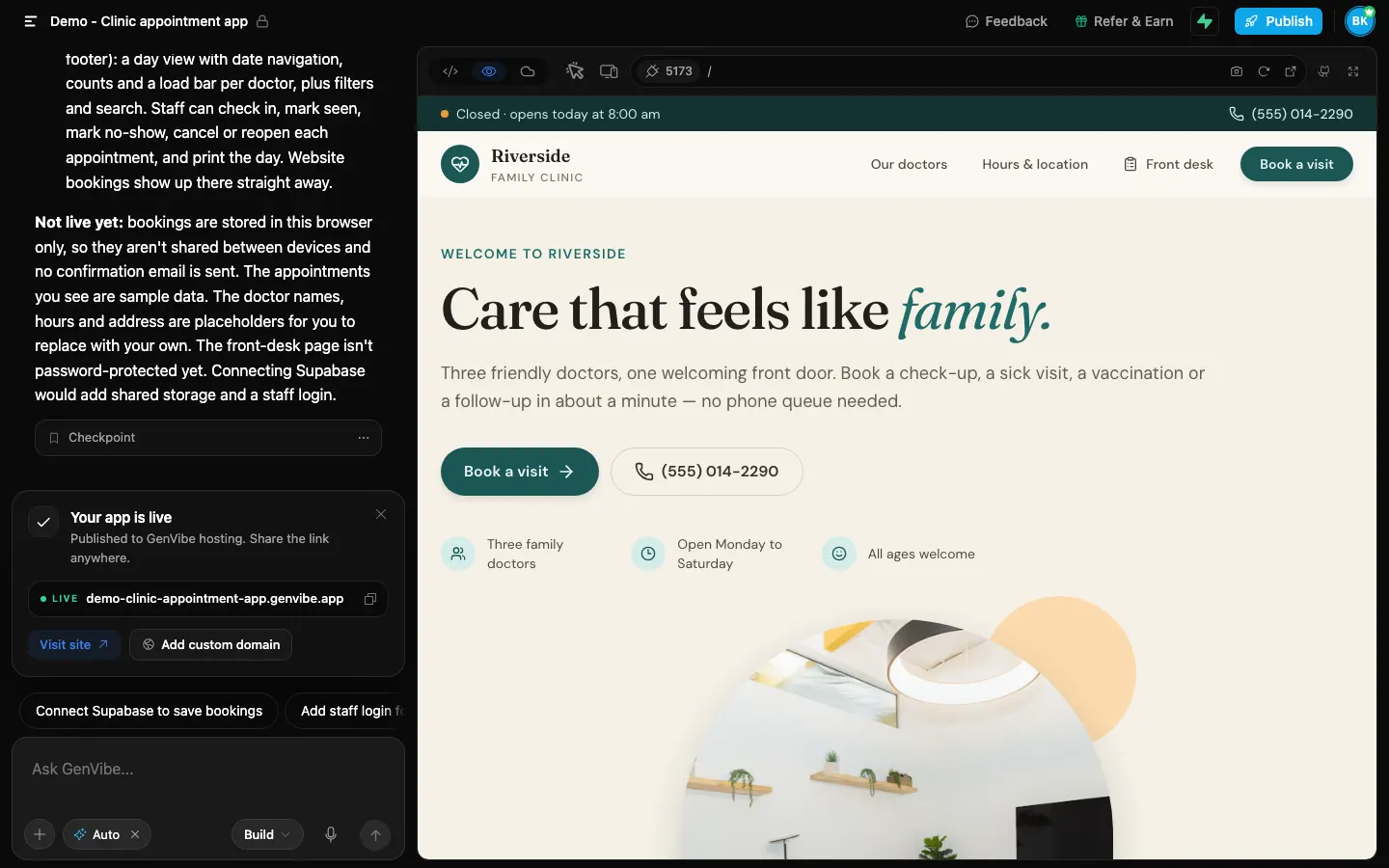
Start from a template instead
Templates open in about a minute and use no credits.
Keep reading
Make it yours
Start with this prompt, change the details to your business, and press send. New accounts get 20 free credits once, with no card.